Publish and maintain your official race course
For trail race and ultra organisers: one official page for the current course, checkpoints, elevation and downloads.
Built for race organisers
Your course. Your brand.
One official place for it all.
Give runners the route information they need, and give your team a simpler way to manage it. From the first GPX upload to a last-minute course change, SummitGPX keeps your race routes together.
 Watch the overview1:09
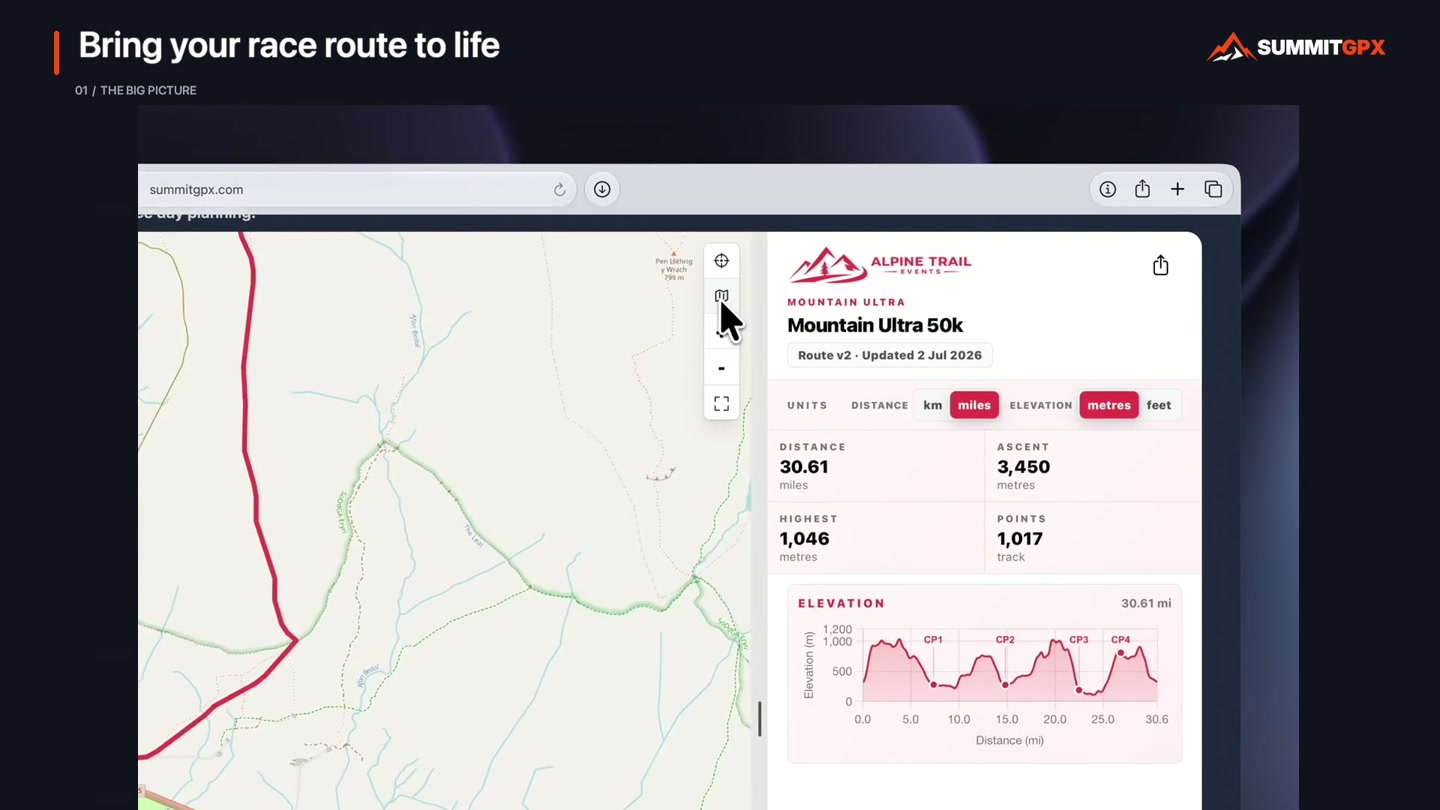
See SummitGPX in action
From your first GPX upload to a route your runners can explore. See how SummitGPX brings your course, checkpoints and race details together.
SUMMITGPX PRO · GARMIN
Send race routes straight to Garmin
Give runners an easier way to get your official race route onto their Garmin watch. No SummitGPX account required.
Included with Pro monthly, Pro annual and eligible Pro trials. The organiser needs the feature enabled; runners need no SummitGPX account or subscription.

Present your race
Show runners what’s ahead.
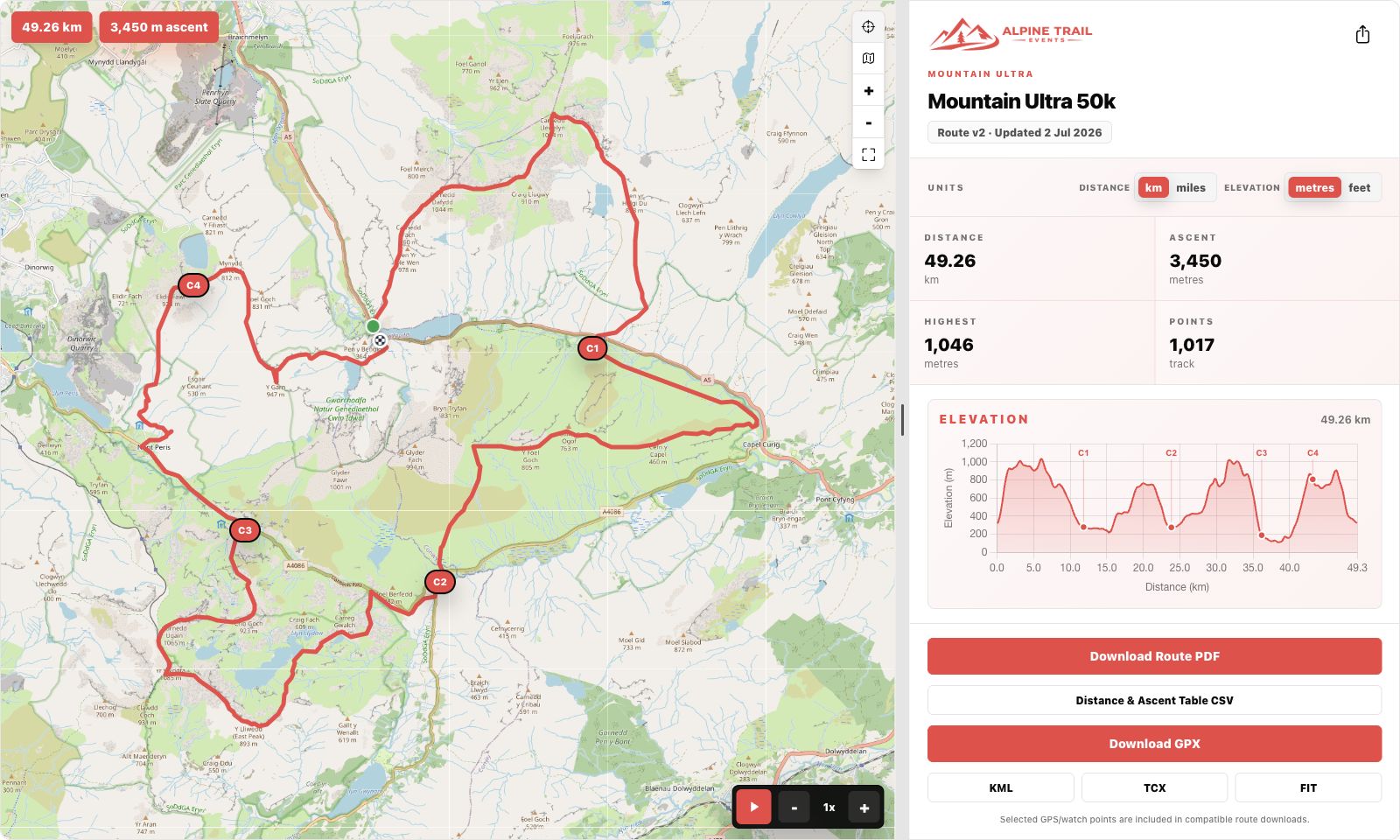
Bring your course to life with a detailed topographic map, an interactive elevation profile and the key route statistics. Help runners understand the terrain before they reach the start line.
Public route pages and elevation profiles are included on every plan. Playback is included with Starter and Pro; website embeds and custom branding require Pro.
- Show distance, ascent and checkpoints in one view.
- Give the map more room with an adjustable desktop divider and an expanded view.
- Let runners choose distance and elevation units with Pro.
- Embed the route on your own website, with your logo and colours.
Every leg, clearly explained
Take the guesswork out
of checkpoint planning.
Add checkpoints, aid stations and useful route points. SummitGPX calculates the distance, ascent and descent for each leg, as well as the totals from the start.
Give runners a clearer picture of the gaps between stops, and export the breakdown for your race information.
Starter and Pro include checkpoint management, checkpoint-enabled downloads, route PDFs and checkpoint CSV exports. Free provides basic checkpoint display.


Make race preparation easier
The official route.
Easy to find. Easy to download.
Give runners a clear place to get the course, without sending them through other route-planning websites. Share a link or use a QR code in your race pack and at registration.
- Offer GPX and other supported GPS file formats.
- Include selected checkpoints in compatible downloads.
- Split a long route into smaller GPX files when needed.
Checkpoint display and file support depend on the runner’s device and app.
GPX downloads are included on every plan. Starter adds KML, TCX and checkpoint exports, including PDF and CSV; Pro adds FIT and split GPX downloads.
Stay in control of changes
Route changed?
Keep everyone informed.
A diversion or a late course change shouldn’t mean rebuilding your route page. Edit the route or upload a replacement GPX, retain your checkpoints and review their positions on the updated course.
- Keep the same shared link and website embed.
- Keep a version history of your route files.
- Review and send route-update emails to subscribed runners.
Shared pages show the current published route. Review the update message before sending it; route edits do not automatically email runners. Existing downloads must be downloaded again.
Replace route files and send route-update emails with Starter or Pro. Route editing, reversal and version history require Pro.

Maintain the current course
Change the course. Keep your race on track.
Amend your route directly in SummitGPX when plans change. Adjust a section of the course, guide it along paths and trails with snap to path, and retain your checkpoints for review against the updated route.
Explore route editing
The interactive route editor and snap to path are included with Pro. Always review the revised course and checkpoint positions before sharing.
Less admin. More time for your race.
From GPX to a race-ready route page.
- 01
Upload your GPX
Bring in your route and review its map, profile and route data.
- 02
Add the race details
Add your event name, branding, checkpoints and useful information.
- 03
Publish and share
Share the official route page or embed it on your own website.
- 04
Manage updates
Keep your published route current as your race plans develop.
Free: 1 event and 5 routes. Starter: up to 5 events and 15 routes. Pro: unlimited events and routes. Compare plans for the features included in each package. Compare plans.
Make the route part of their race story
Runners can create a personalised route graphic before or after their race, straight from the public route page or an enabled website embed.
Open the image in a new tab, then use your browser’s image options to save it and share it through your chosen app. SummitGPX does not post directly to social platforms.
Try it on the demo route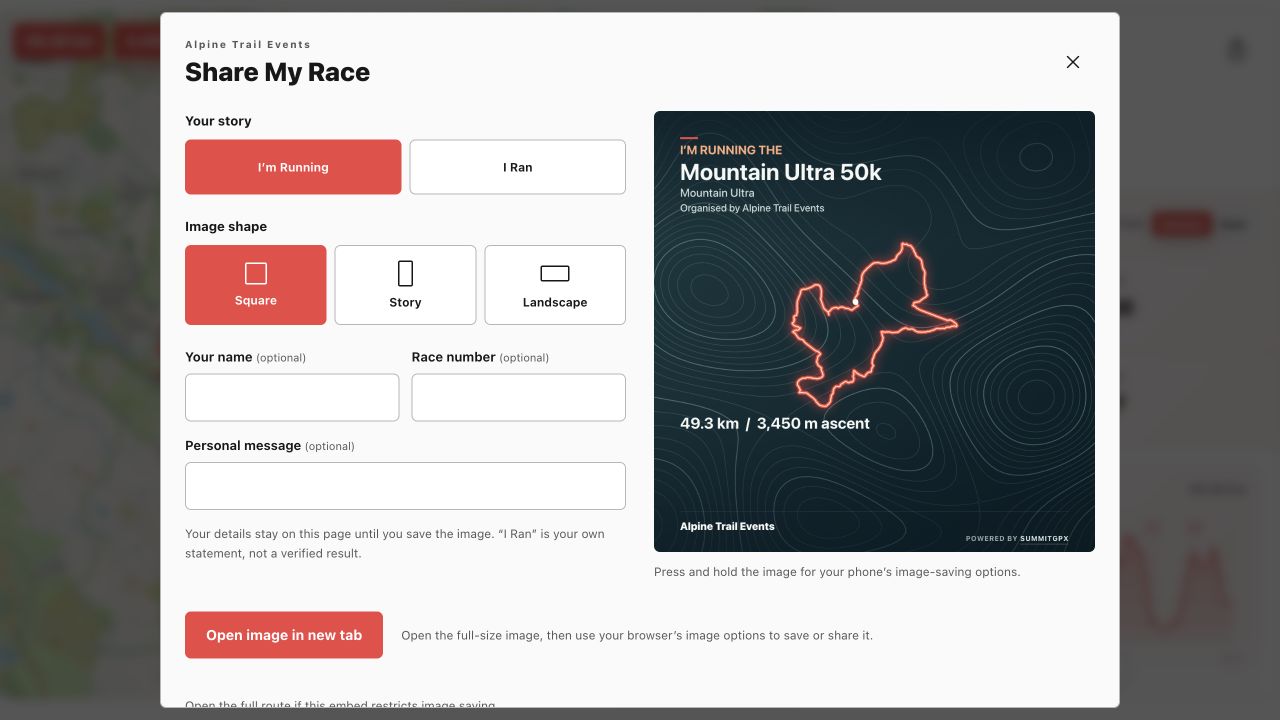
See it from a runner’s perspective
Take a look around Mountain Ultra.
Explore the map, checkpoints and downloads on our demo race page.