Open the route
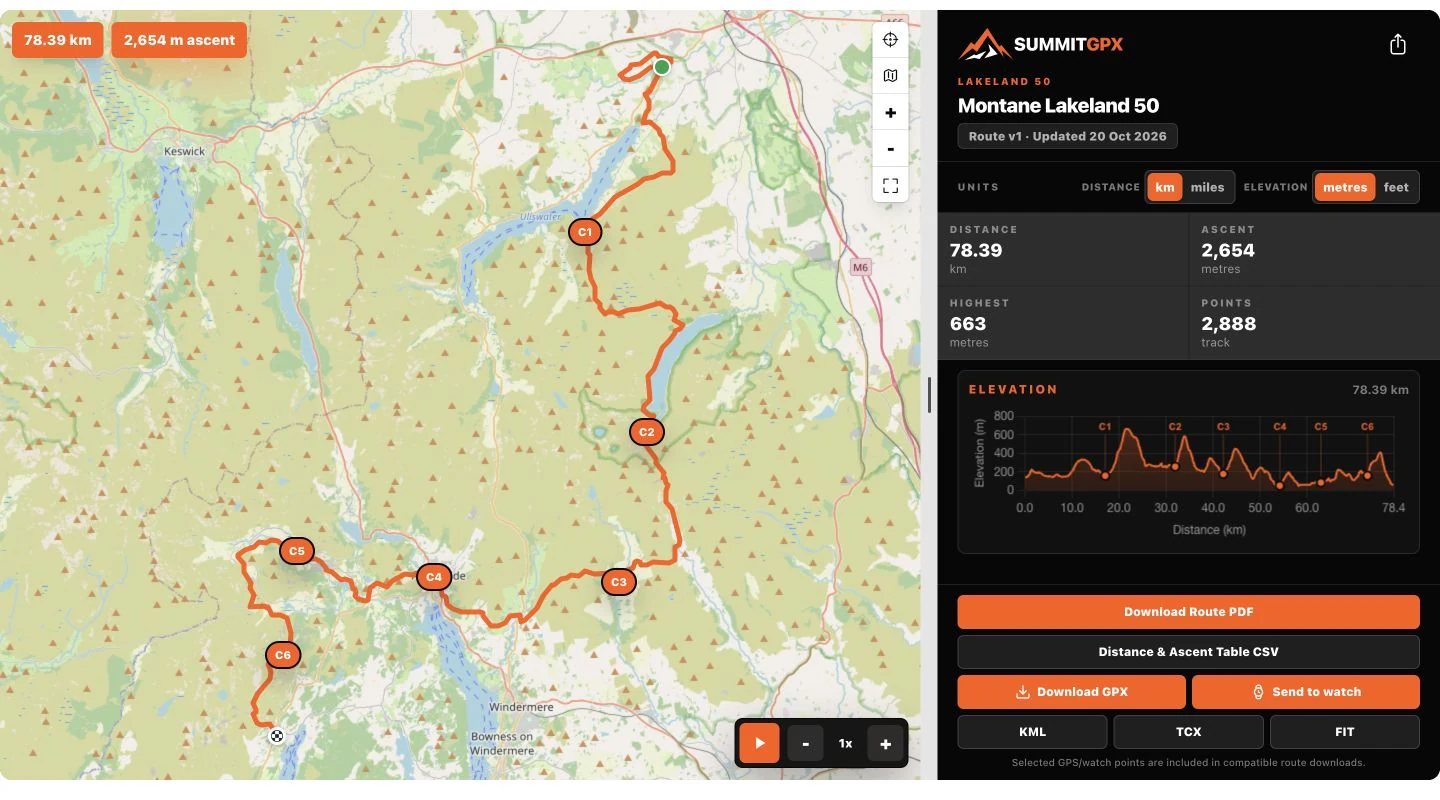
Start with the organiser’s published route and choose Send to watch.
Tools for race organisers to publish the course, manage changes
and keep runners informed.
From course preparation to race day
Publish one official route page, maintain the current course and prepare updates for runners. Start with the essentials, then choose the tools your event needs.
SUMMITGPX PRO · GARMIN
Publish the course once. Runners can open your route page, connect their Garmin account and send the current course to Garmin Connect.
Included with Pro monthly, Pro annual and eligible Pro trials. The organiser needs the feature enabled; runners need no SummitGPX account or subscription.

Start with the organiser’s published route and choose Send to watch.
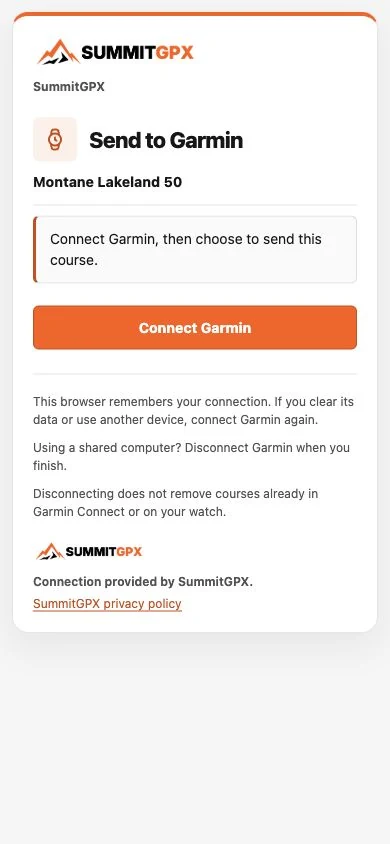
Connect your Garmin account securely, then return to SummitGPX to choose the course activity.
Send the course to Garmin Connect, then sync a compatible watch.
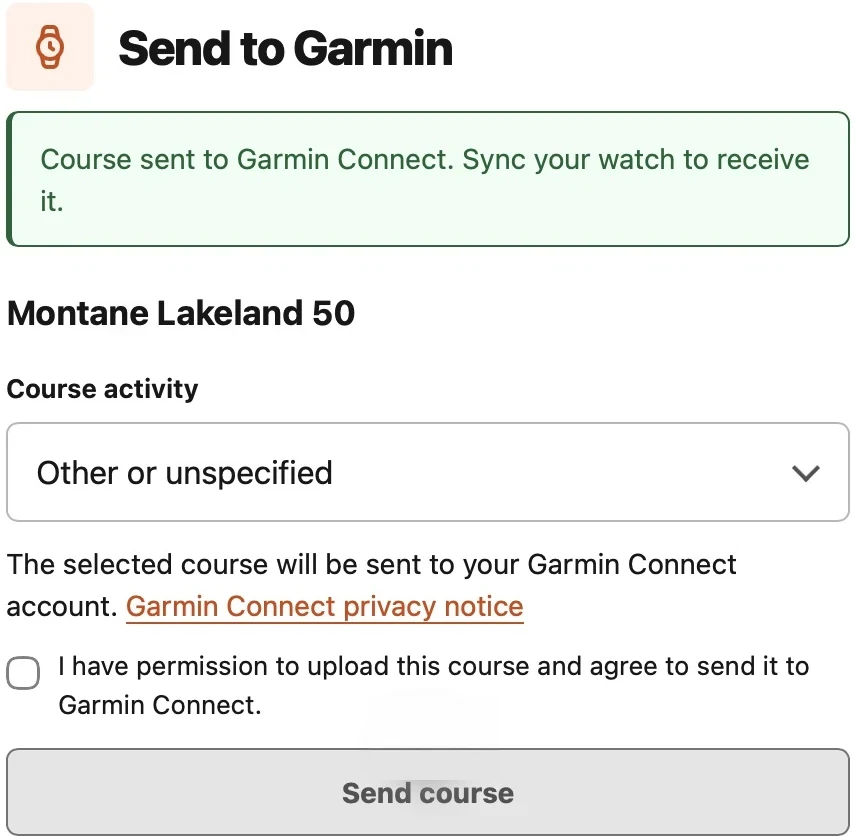
Course changed? Send the latest published version again. Changes do not automatically update a course already on a watch.
Publish the official route
Upload your route and review its map, elevation profile and key statistics. Bring the course and event details together before you publish.
When the course needs adjusting, use the route editor to make changes, with snap-to-path tools available on supported plans.
Try the free GPX Health Check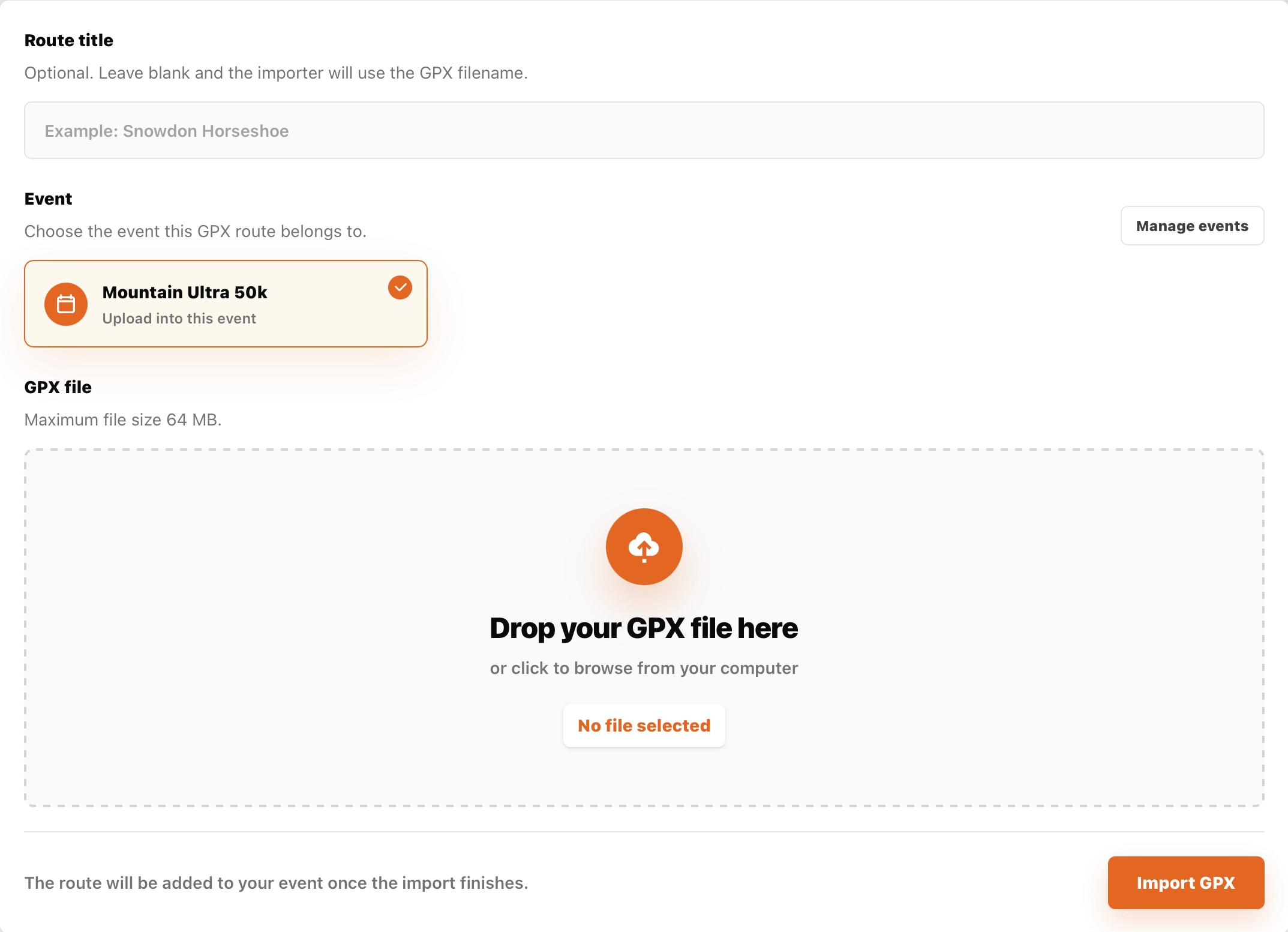
Import your GPX, assign it to an event and add the race name and details. Keep your event’s routes together.
The free GPX Health Check flags issues such as missing elevation, duplicate points and route gaps, and can attempt fixes for supported issues.
Adjust a route in SummitGPX or upload a revised GPX. Review the result before sharing it with participants.
Add the details runners need
Show runners where to stop, what to expect and how much climbing lies between stops. Checkpoints appear alongside the course, with a breakdown calculated from the route.

Use quick add to place checkpoints, then add details when you need them. Build out a course without repeatedly filling in a long form.
Add names, marker labels, icons and notes for aid stations, facilities, warnings and other useful points along the route.
Review distance, ascent and descent for each leg and from the start. Export the figures for your race information.
Starter and Pro include checkpoint management, checkpoint-enabled downloads, route PDFs and checkpoint CSV exports. Free provides basic checkpoint display.
Present it as your event
Give runners one official course page with a map, elevation and downloads. Public route controls are available in English, French, German and Spanish; organiser-written route text is not automatically translated.
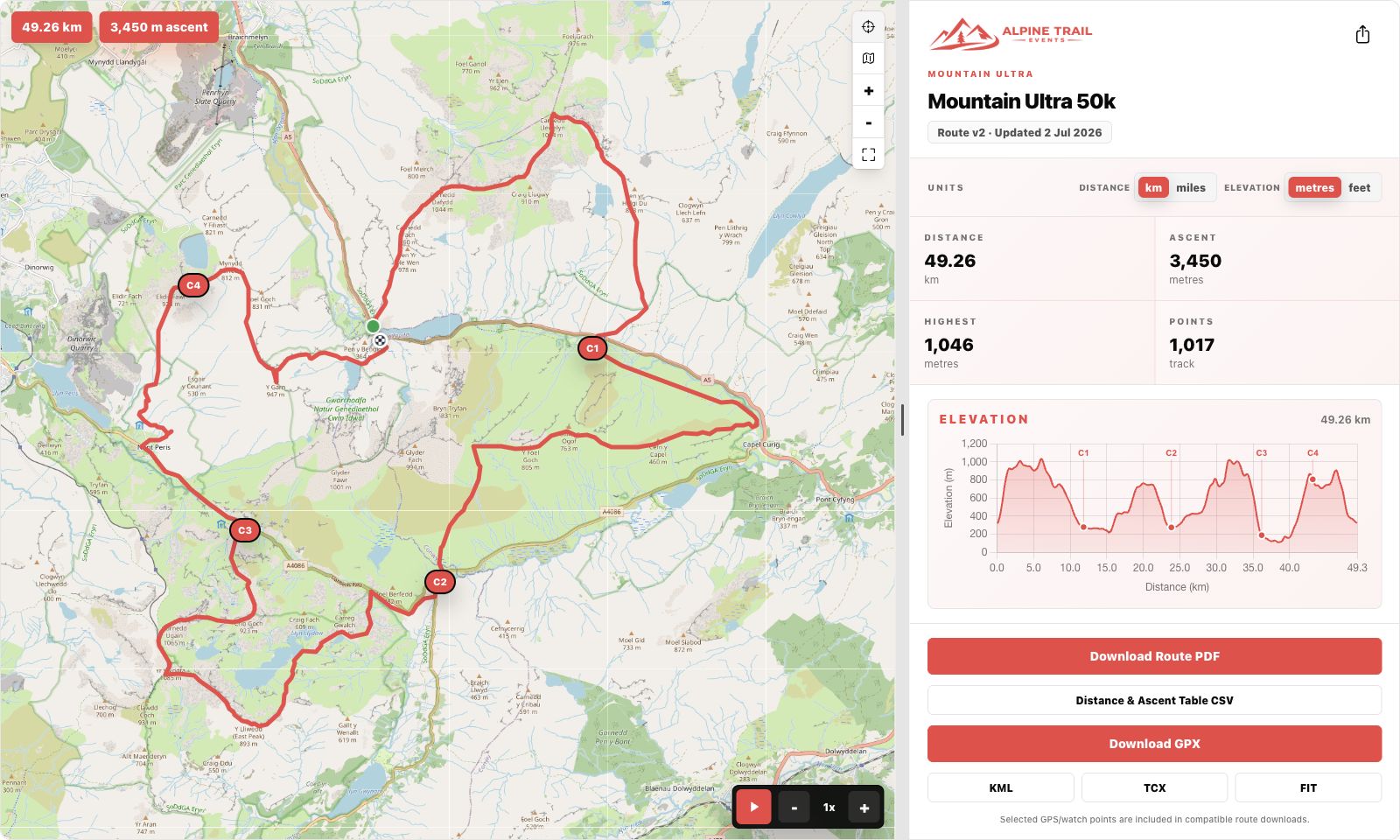
Interactive maps and elevation profiles help runners understand the climbs and descents. Route statistics support metric and imperial units.
Route playback traces the course on the map, with adjustable speed. Checkpoint markers help runners connect the route with key stops.
Use a shareable route link or an embedded viewer. Choose the layout and branding options that suit your event website.
Public route pages and elevation profiles are included on every plan. Playback is included with Starter and Pro; website embeds and custom branding require Pro.
Adjust the divider on desktop to give the map or route details more space. Expand the map for a closer look, then return to the route information. On mobile, supported embeds grow with their content so the main page handles scrolling.
Before the race. At registration.
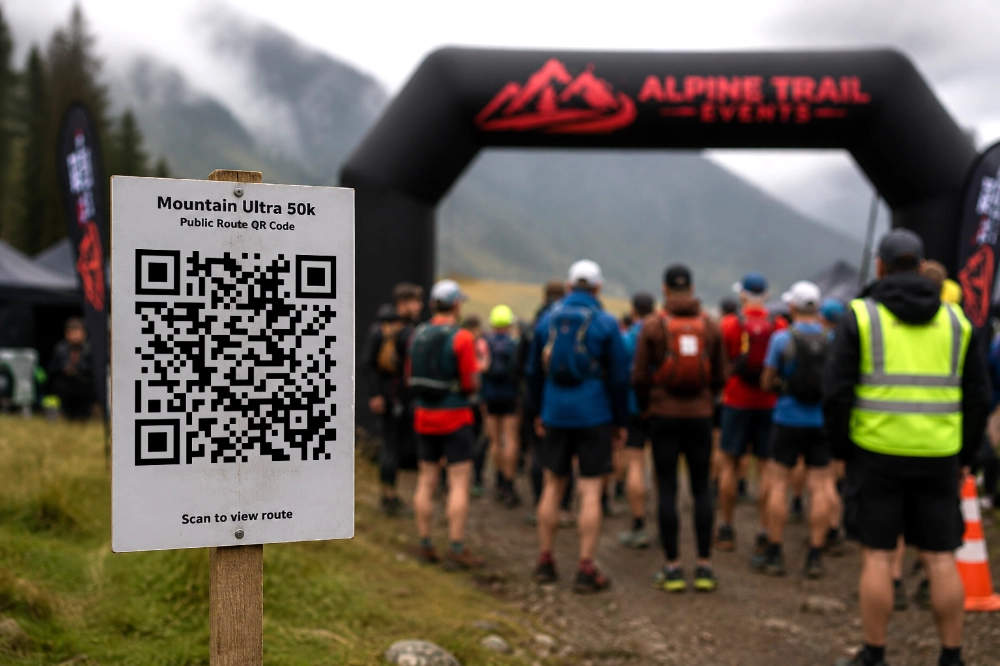
Place a route QR code in your race pack, on event signage or at registration. Runners can open the shared route page and access the current published course.
Keep using the same route link when the course changes, so printed materials continue to lead runners to your route page.
Offer GPX, KML, TCX and FIT downloads, alongside a route PDF and a distance and ascent CSV table.
Select which checkpoints appear in compatible GPS downloads. How those points display depends on the runner’s watch or app.
Create smaller GPX files for stages or devices that need them, saving runners the job of splitting the course themselves.
GPX downloads are included on every plan. Starter adds KML, TCX and checkpoint exports, including PDF and CSV; Pro adds FIT and split GPX downloads.
Maintain the current course
Select where a change starts and ends, then add waypoints to guide the replacement section. Plan a diversion or refine your course on the map without rebuilding the whole route.

Switch on snap to path to calculate a replacement section through your chosen waypoints using the available path network. Review the result against your intended course.
Turn snapping off to draw a section manually. Undo amendments or cancel your editing session before saving.
Save your amended course as a new version while keeping the same route page and shared link. Your checkpoints are retained: review their positions after an edit.
The interactive route editor and snap to path are included with Pro. Always review the revised course and checkpoint positions before sharing.
Communicate route changes
Keep the official page current when the course changes. Prepare and preview the route-update message, then choose when to send it to registered recipients. Editing a route does not send an email automatically.
A route update does not replace files already saved to a runner’s device. They will need to download the revised course.

Replace route files and send route-update emails with Starter or Pro. Route editing, reversal and version history require Pro.
Runners can create a personalised route graphic before or after their race, straight from the public route page or an enabled website embed.
Choose “I’m Running” or “I Ran”, pick a square, story or landscape image, and optionally add a name, race number, finish time, position or personal message. The graphic includes the route, race and organiser details, distance and ascent.
Open the image in a new tab, then use your browser’s image options to save it and share it through your chosen app. SummitGPX does not post directly to social platforms.
Try it on the demo route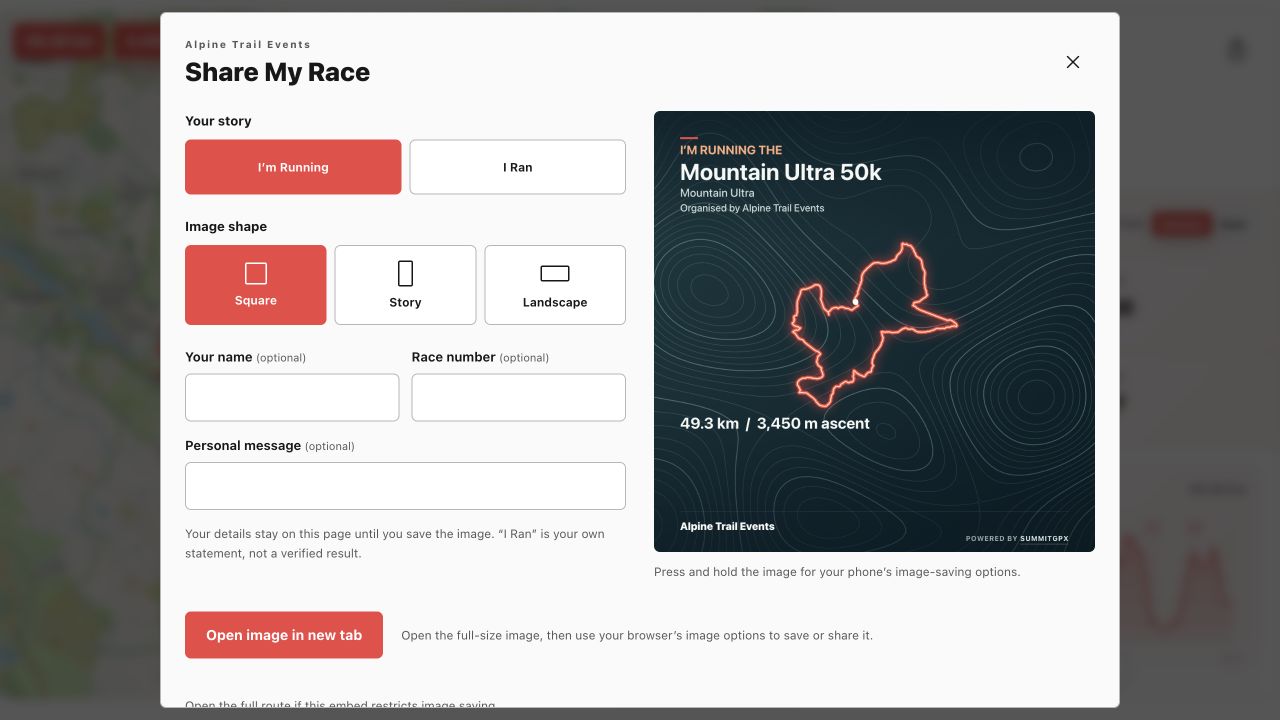
See how it could work for your race
Try Mountain Ultra’s demo route, or compare the features included in each plan.